/ USD
/ USD
A surveillance server is sized around three numbers: camera count, stream bitrate, and recording retention period. Everything else follows from these – array capacity, CPU power for decoding streams, RAM amount, and network throughput. A regular file server won't cut it here, because a recorder runs 24/7 in continuous write mode – a workload profile that calls for a separate drive class and mandatory RAID.
Below you'll find a simple calculation method, drive and server requirements, and the legal framework (GDPR, UODO guidelines), followed by specific configurations matched to installation scale.
How much space will surveillance take up? Start with one formula
Storage requirements are calculated using a simple product: camera bitrate × number of cameras × recording time × retention days. The whole challenge comes down to reliably estimating the bitrate – because raw video is enormous.
The scale is striking: an uncompressed 1920×1080 stream at 30 fps comes to around 1.49 Gbit/s (178 MB/s). That's exactly why H.264/H.265 compression is a necessary step before data hits the disk – and why the server needs a processor capable of decoding many streams at once, not just large-capacity drives.
One caveat about the calculation. A camera in CBR mode (constant bitrate) keeps a predictable data budget, so storage is easy to calculate. VBR mode has no hard limit - with highly variable scenes, actual usage can exceed the plan. When sizing capacity for VBR, add a margin.
For reference, assuming 4 Mbps per camera, continuous recording, and 30 days of retention:
|
Number of cameras |
Combined stream |
Estimated space (30 days, RAID) |
|
8 cameras |
~32 Mbps |
~12–13 TB |
|
32 cameras |
~128 Mbps |
~50 TB |
|
128 cameras |
~512 Mbps |
~200 TB |
Indicative values – actual requirements depend on resolution, codec, motion in frame, and CBR/VBR mode. RAID overhead needs to be added on top of net space.
What drives does a recording server require?
A recorder writes streams continuously, sequentially, around the clock – a workload a desktop drive won't survive. The difference is visible in a single parameter. Enterprise drives have a workload rate limit (WRL) of 300–550 TB/year, while drives dedicated to surveillance sit around 90–180 TB/year, whereas desktop drives aren't designed for continuous 24/7 operation. Putting a regular drive in a recorder leads to premature failure.
Surveillance-class drives are built specifically for this scenario. For example, a drive in this class can handle continuous operation across a 0–60°C range, has a workload rating of 180 TB/year, and can individually support up to 64 HD cameras and 32 AI analytics streams simultaneously. This is a good reference point when consolidating many cameras onto a single device.
The second pillar is redundancy. Drives account for roughly 50% of all hardware failures in servers – which is why recordings should be kept on a RAID 5 or RAID 6 array, not a single drive. RAID 6 (tolerating two simultaneous drive failures) has an advantage with large-capacity drives, since it safely survives a long array rebuild. We break down whether this kind of protection pays for itself in our article "RAID – data protection or an unnecessary expense?". You can select specific nearline drives from our 3.5" server HDDs.
How much CPU, RAM, and network does a growing camera count demand?
As camera count and retention length grow, server architecture matters more than capacity alone. For VMS-class deployments, storage vendors recommend a minimum of 32 GB RAM per Windows node, even though the software's own minimum requirements can be much lower (around 8 GB). Real, stable operation therefore starts well above the "minimum" threshold.
An enterprise architecture example illustrates this well: a single VMS environment can support up to 600 cameras at 2 Mbps each with 60-day retention. At this scale, the network requires separate planning – vendors recommend splitting traffic across separate switches for storage, cameras, and management, and enabling jumbo frames (MTU 9000) wherever possible. Server power alone isn't enough if the network becomes the bottleneck.
Retention and GDPR – when server sizing becomes a legal decision
How long recordings are kept isn't a technical setting to crank to the maximum – it's a regulated decision. A few requirements worth keeping in mind before buying hardware.
- Informing employees. According to UODO guidelines, an employer must notify staff about surveillance at least 2 weeks before it starts, and mark the monitored area at least 1 day before launch.
- Data minimization. Per EDPB Guidelines 3/2019, automatically deleting recordings after a set period can be less invasive than constant live viewing – the operating mode should be matched to the surveillance purpose, not the other way around.
- Industry-dependent retention. There's no single "correct" number of days – in some sectors, regulations set specific ranges (for example, in mental health facilities it's at least 12 but no more than 13 months).
- The narrow "household" exemption. A camera "just for my shop" falls under GDPR – CJEU case law rules out the household exemption when recordings reach an unlimited circle of recipients.
The key reference points remain the guidelines of the President of UODO and the EDPB Guidelines 3/2019. It's also worth knowing that overwriting a recording is considered a sufficient method of deletion, and an annual audit of your CCTV policy is good practice. We cover the security and compliance dimension in more depth in our article on cybersecurity under the NIS2 directive.
Which server for which camera count?
Installation scale translates directly into architecture. Three typical starting points.
|
Scale |
Configuration |
Suggestion from our range |
|
Small (up to 16 cameras) - shop, office, single building |
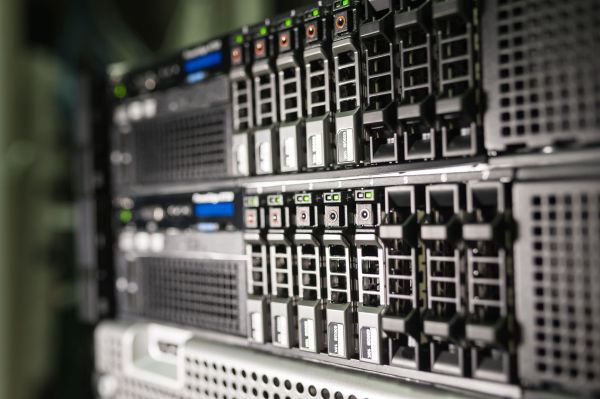
compact rack, a few 2.5" bays, RAID 5/6, iDRAC, 14–30 day retention |
A compact server from our Rack servers category |
|
Medium (16–64 cameras) - several locations |
rack with many 3.5" bays (e.g., 12×3.5"), RAID 6, 30–90 day retention |
Dell PowerEdge R740xd + 7.2K nearline SAS drives |
|
Large (64+ cameras) - multi-site VMS |
role separation: VMS management server separate from recording storage |
Dell PowerEdge R650 + PowerVault array |
In large installations, separating the VMS management server (database, clients, rules) from recording storage takes load off both components and makes future expansion easier. If video analytics and AI are part of the plan – license plate recognition, object detection – reach for a GPU-equipped machine from our AI servers category. IP cameras are typically powered over PoE, so pair your setup with the right Rack switches. We can work together on selecting the exact configuration and capacity for your target camera count – for background reading, see our guide "Which server to choose?".
Where to start?
A good surveillance server starts with three numbers – cameras, bitrate, and retention days – not with a product catalog. From these follow the array, CPU power, RAM, and network. On top of that come two pillars you can't skip: surveillance/enterprise-class drives and RAID 5/6, because recordings need to survive a failure, not just fit on the disk.
Tell us your target camera count, approximate bitrate, and required retention – at Hardware Direct, we'll select the server, array, and drives for that exact scenario, with room to grow and GDPR compliance in mind. Every configuration you receive is tested, ready to deploy, and covered by warranty.
FAQ
How do I calculate the storage space needed for recordings?
Multiply the camera bitrate by the number of cameras, recording time, and retention days. For VBR mode, add a margin, since usage tends to run higher than the calculator assumes. RAID overhead comes on top of net space.
Is a regular file server enough for surveillance?
No. A recorder runs 24/7 in continuous write mode, which requires surveillance- or enterprise-class drives (high workload rating) and a RAID array. Regular desktop drives fail prematurely.
RAID 5 or RAID 6 for recordings?
With large-capacity drives - RAID 6. It tolerates two simultaneous drive failures and safely survives a long array rebuild, which genuinely protects recordings given today's drive capacities.
How much RAM does a surveillance server need?
For VMS deployments, storage vendors recommend a minimum of 32 GB RAM per node, even though the software's minimum requirements can be lower. The amount scales with camera and stream count.
How long do recordings need to be kept?
There's no single number - it depends on the purpose of the surveillance and industry regulations. Retention is set individually, in line with the data minimization principle and UODO/EDPB guidelines.
Does in-store surveillance fall under GDPR?
Yes. The "household" exemption is interpreted narrowly and doesn't cover business surveillance. Among other things, the area must be marked and employees informed within the required timeframes.
Sources
- Fortinet – Understanding IP Surveillance Camera Bandwidth (White Paper) – https://www.fortinet.com/content/dam/fortinet/assets/white-papers/wp-ip-surveillance-camera.pdf
- Seagate – Understanding Reliability Metrics – https://www.seagate.com/www-content/surveillance-center/files/Understanding-Reliability-Metrics.pdf
- Seagate – SkyHawk 3.5" Surveillance HDD Data Sheet – https://www.seagate.com/www-content/datasheets/pdfs/skyhawk-3-5-hddDS1902-6-1710US-en_US.pdf
- Western Digital – WD Purple HDD Product Brief – https://documents.westerndigital.com/content/dam/doc-library/en_us/assets/public/western-digital/product/internal-drives/wd-purple-hdd/product-brief-wd-purple-hdd.pdf
- HPE Community – NAS vs SAN vs DAS – https://community.hpe.com/hpeb/attachments/hpeb/itrc-248/37570/1/327691.pdf
- NetApp – Virtualizing Video Management Systems with E-Series Storage (Technical Report) – https://www.netapp.com/media/6143-tr4818.pdf
- Milestone Systems – A&E Best Practices for VMS Design Specification – https://www.arxys.com/wp-content/uploads/AE-Best-Practises-for-VMS-Design-Specification-Sheet.pdf
- UODO – Guidelines of the President of UODO on the use of surveillance – https://uodo.gov.pl/data/filemanager_pl/1200.pdf
- UODO – Guidelines on video surveillance (presentation) – https://uodo.gov.pl/file/1548
- EDPB – Guidelines 3/2019 on processing of personal data through video devices – https://edpb.europa.eu/sites/edpb/files/files/file1/edpb_guidelines_201903_video_devices_pl.pdf
- Acta Universitatis Wratislaviensis – Selected aspects of video surveillance functioning – https://repozytorium.uni.wroc.pl/Content/140315/PDF/06_T_Radziszewski_Wybrane_aspekty_funkcjonowania_monitoringu_wizyjnego.pdf
- Fundacja Panoptykon – Assumptions and directions for legal regulation of video surveillance systems – https://panoptykon.org/sites/default/files/akademia_monitoringu_wizyjnego_-_zalozenia-do-ustawy-cctv-akademia-monitoringu-wizyjnego.pdf
- U.S. Department of Labor – Prohibition on Covered Telecommunications and Video Surveillance (FAQ, NDAA §889) – https://www.dol.gov/sites/dolgov/files/OASAM/OSPE/Sec889-2019-NDAA_FAQ.pdf
- FCC – Fact Sheet: Protecting Against National Security Threats – https://docs.fcc.gov/public/attachments/DOC-415051A1.pdf
- Regional Court in Warsaw – tender documentation for an IP CCTV surveillance system – https://bip.warszawa.so.gov.pl/attachments/download/4483