/ USD
/ USD
Imagine two companies. The first bought an array "with plenty of headroom," right up against a premium budget – and three years later, half the shelves sit empty. The second went with something "just enough for now" – and eighteen months in, hit the capacity limit, with a migration to a larger system eating up an entire weekend for the whole IT department. Both made the same mistake: they matched the array to a number on a spec sheet, not to how their data actually grows and gets used.
Choosing an array used to be called "black magic" – and there's some truth to that, because the same parameters produce completely different results under different workloads. But magic isn't randomness – it's a set of rules nobody bothered to spell out plainly. So let's spell them out.
Start with "how am I growing," not "how many TB do I need today"
The number of terabytes you need right now is the least interesting part of the equation. The growth rate matters more. To put the scale in perspective: global data volume was projected to grow from 33 ZB in 2018 to 175 ZB by 2025 – more than fivefold in seven years. Your company isn't the global datasphere, but the direction is often similar: data tends to grow faster than the initial cost estimate assumes.
And this is where the costliest trap lies. Underestimate capacity, and you'll exhaust it faster than expected, forcing a second investment. The problem is that capacity planning is often treated as an "educated guess" – companies would rather spend as little time on it as possible. The result? Instead of calculating the trend (how much data grows per month, what generates it), purchases get made by gut feeling. A rule of thumb: plan capacity on a 3–5 year horizon and choose something that can be expanded without a full replacement – by adding shelves or nodes to the existing array.
RAID is chosen based on traffic type
An array's performance depends less on the drives themselves than on whether your I/O operations are random or sequential. Sounds abstract? Let us explain.
- Random I/O means lots of small reads and writes at unpredictable locations – this is how a database behaves, or an environment with many virtual machines, where each one "digs into" its own piece of the disk.
- Sequential I/O means large, continuous transfers – backups, video streams, archives. This distinction translates directly into RAID choice:
|
Level |
Strong for |
In practice |
|
RAID 10 |
random I/O workloads |
Databases, virtualization (VMware – most I/O here is random). You trade half your capacity for performance and safety. |
|
RAID 5 |
sequential workloads |
Files, backup, archives, streaming. Better capacity utilization, weaker under intensive random writes. |
|
RAID 0 |
pure performance, zero protection |
Only for non-critical/recreatable data. One drive failure = total loss. Not for production. |
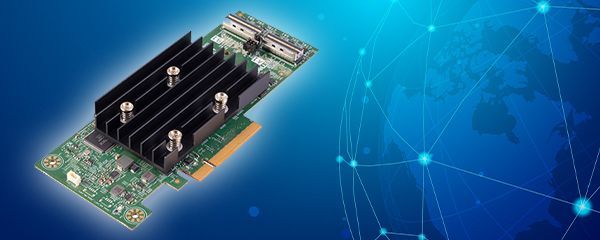
Why does this matter financially, not just technically? Because a poor RAID choice genuinely drives up cost – analyses show that a well-matched choice suited to the workload can be 10-something percent cheaper/more efficient than "reasonable" default settings, and even 150–200% better than the worst choices. In other words, setting up RAID "because that's what we always do" can cost you twice over. The heart of this setup in a server is the RAID controller – it's what calculates parity and oversees everything.
Ready-made or built from components? And what not to mix
If you have a small IT team (or the IT team is just you, after hours), choose solutions that are easy to deploy and manage, with a redundant chassis and hot-swap components. Some entry-level arrays build RAID sets and run health checks on their own – saving hours you probably don't have anyway. Newer platforms go even further: some don't even show the user a RAID-level choice at all, since data protection is automated under the hood.
Regardless of whether you go with a ready-made system or build one yourself, there are two rules about drives that trip people up. First: enterprise drives are designed for 24/7 operation and offer higher reliability than desktop drives; don't cut corners with "office-grade" drives in an array.
Second, less obvious: don't mix SAS and SATA drives in the same enclosure. And one more small detail about hot spare: a spare drive will automatically take over for a failed one, but only if it's the same capacity or larger – easy to overlook when planning your spares. You can choose drives from our SSD and NVMe range.
Six parameters that truly define an array
Instead of comparing capacity figures alone, evaluate an array across six dimensions at once – this is the canonical set even system designers use: cost, reliability, performance (IOPS), capacity, availability, and scalability. Add a seventh that's easy to overlook: controller power versus expected load – even a spacious array will disappoint if its controller can't handle the traffic. For reference: enterprise-class arrays target availability around 99.9999% ("six nines"), and all-flash arrays can exceed a million IOPS.
How does this translate into practice? Here's a quick guide to matching array type to use case, with models from our range.
|
Use case |
Type + RAID |
Example from our range |
|
Small business, expanding capacity |
DAS / SAS |
PowerVault MD1220 – budget entry point, a 24× 2.5" enclosure. |
|
Shared storage for several servers |
iSCSI (SAN over IP) |
PowerVault MD3200i – SAN over Ethernet, no need for costly FC networking. |
|
Virtualization, databases (random I/O) |
all-NVMe / RAID 10 |
PowerStore 500T – entry-level enterprise, unified block+file. |
|
Intensive I/O, analytics, large VMs |
all-NVMe, scale-out |
PowerStore 5200T – high performance, scales to hundreds of TB. |
The entire family, from entry-level to top-tier models, is available in our Dell PowerStore array offering; a broader selection of all systems is available in our disk arrays section, and if you're specifically after flash storage – in our all-flash arrays section.
Don't fall into the "fixed topology" trap
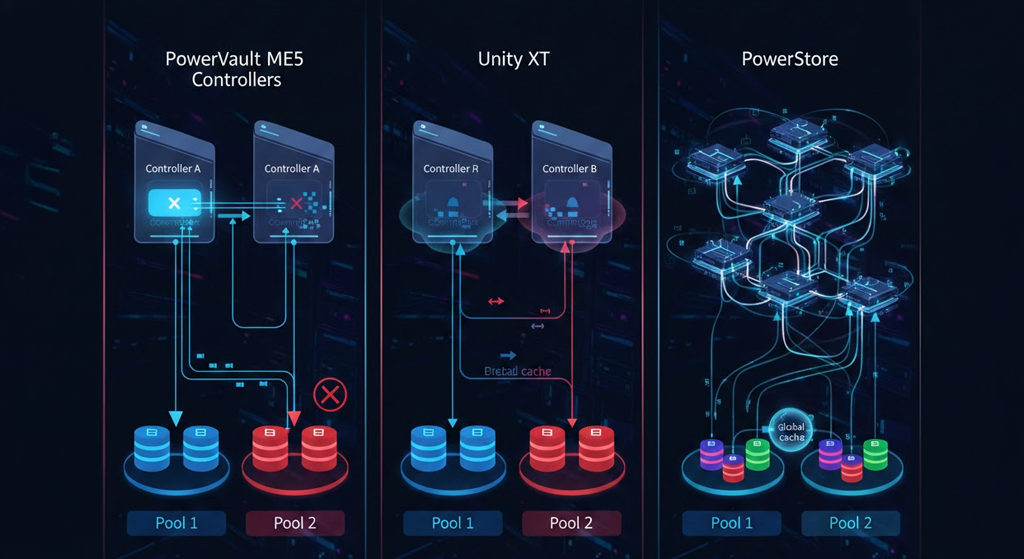
One last thing worth understanding before you buy. Traditional arrays with a fixed topology force you to define your requirements upfront and buy "ahead" – to a level you hope will also hold up in the future. When it doesn't, migrating to a better-matched system can be painful. That's why platforms that scale both up (stronger controllers, more RAM) and out (adding nodes to a cluster) have the advantage today. For scale: top-tier all-flash configurations range from dozens of cores and hundreds of GB of RAM up to hundreds of cores and thousands of GB, and clusters can pool thousands of drives under unified management.
So what do you do with all this?
Let's go back to those two companies from the start. The difference between them wasn't budget or brand – it was that neither one started by asking how they actually use their data and how it grows. That's the entire secret behind the "black magic": an array is matched to the workload and the trend, not to a number that just happens to look good in a spec sheet.
If you'd rather not work this out on your own – you don't have to. Tell us how much data you have today, what generates it, how many users there are, and what needs to access it – and we'll calculate the trend, select the array type, RAID level, and storage media, and put together a configuration with room to grow. You get hardware that's tested, fitted with the right enterprise drives, and covered by a 12–36 month warranty – ready to work, not to assemble. That's it. No magic involved.
FAQ
Where should you start when choosing an array?
With your data profile, not a TB figure. Determine how much data you have, how fast it's growing, whether traffic is random (databases, VMs) or sequential (files, backup), and how many users access the resource. Only then can you determine the type and RAID level.
RAID 10 or RAID 5?
RAID 10 for random workloads – databases and virtualization (in VMware, most I/O is random). RAID 5 performs better with sequential traffic and makes better use of capacity. The choice depends on the workload, not on habit.
How much capacity should I buy?
Plan on a 3–5 year horizon based on your actual data growth rate. Underestimating means a second investment down the line, so it's better to choose a solution that can be expanded.
Can I mix SAS and SATA drives in one array?
This isn't recommended within a single enclosure. Stick with enterprise drives designed for 24/7 operation – they offer higher reliability than desktop drives.
What should I watch out for with hot spare?
A spare drive will only take over automatically if it's the same capacity as the failed one or larger. Worth factoring in when planning your spare drives.
Does an array with RAID replace a backup?
No. With large drives, the risk of another drive failing during a rebuild increases, and RAID won't undo a deletion or ransomware damage. Backup is a separate layer.