 /
USD

Refurbished Dell server for AI – when is it worth choosing over a new one
A few years ago, a recertified server was mainly associated with "cheaper used equipment". Today the situation looks completely different. With lead times for new GPUs measured in months and increasingly higher prices for DDR5 memory and AI accelerators, a well-configured Dell PowerEdge Recertified has become for many companies a normal way to quickly launch AI infrastructure.
And importantly – it's not just about savings. Increasingly it's simply about availability, reasonable deployment time and the ability to build an AI environment without waiting a year for new equipment.
Why do AI companies increasingly look at recertified PowerEdge instead of new servers?
The reason is simple – new GPU servers are increasingly difficult to obtain, and budgets aren't growing as fast as AI infrastructure prices. In 2026, many companies face a very similar problem: the AI project is ready to launch, but equipment "from the first channel" has lead times even measured in 36-52 weeks.
In addition, there are:
- rising GPU prices,
- limited availability of HBM and DDR5 memory,
- increasing cost of building local infrastructure.
And this is where recertified PowerEdges start to look very sensible. Especially models:
- R740,
- R750,
- R760xa,
- GPU-ready platforms with A40, L4 or T4,
because they allow you to launch an environment much faster and significantly cheaper. The biggest mental shift is that recertified Dell has stopped being treated as an "emergency option". For many AI teams it's simply:
- a way to shorten time-to-market,
- the ability to start without huge CAPEX,
- a sensible compromise between performance and availability.
Especially when the workload doesn't absolutely require the newest H100 or Blackwell class GPUs.
How does recertified Dell differ from regular "refurbished" and why does this matter enormously?
The biggest problem with the used equipment market is that under the label "refurbished" practically anything can be hiding. And that's exactly why the distinction between regular refurbished and Dell Recertified is so important.
Recertified Dell is equipment that returned to the official manufacturer program:
- after demo,
- after POC,
- after canceled order,
- after trade show display,
and then underwent a full remanufacturing and testing process compliant with OEM standards. This is an important difference because we're talking about servers:
- with original service tag,
- with full iDRAC,
- with firmware updated by Dell,
- with the option for ProSupport coverage,
meaning very close to new enterprise equipment. And that's exactly why such platforms make sense for AI. You get:
- redundant power supplies,
- hot-swap bays,
- PERC controllers,
- ECC RAM,
- full possibility for further expansion,
without getting into "anonymous refurb", where often nothing is known except that "the server works".
When does recertified Dell server make the most business sense for AI and GPU?
The greatest sense appears when deployment time and a reasonable budget are more important than the newest generation. And this is exactly the scenario that today applies to a huge portion of companies developing on-premise AI.
If you're building:
- local inference,
- fine-tuning environment,
- AI lab,
- POC for data science team,
then recertified PowerEdge often allows you to take a step forward without blocking your entire budget on just the chassis.
The differences can be very concrete. According to market analysis:
- recertified PowerEdge can cost 30-40% less than a new equivalent,
- older generations even 70-80% less compared to new catalog configurations.
And this makes a huge difference in AI, where the largest costs are generated anyway by:
- GPUs,
- RAM,
- fast NVMe storage,
Thanks to this, instead of overpaying for just the platform, you can allocate a larger portion of your budget for:
- more powerful GPUs,
- more VRAM,
- more RAM,
meaning exactly those elements that truly impact the performance of AI workloads.
Does recertified PowerEdge really work for inference, fine-tuning and local AI models?
Yes – and it's in exactly such applications that recertified servers make the most sense today. Most companies aren't building infrastructure for training giant models from scratch. Much more often it's about:
- inference,
- scoring,
- image analysis,
- fine-tuning existing models,
- development and testing environments.
For such workloads you don't need the newest H100 or Blackwell. Much more important is:
- stable enterprise chassis,
- appropriate amount of RAM,
- fast NVMe,
- sensible GPU card with large VRAM.
And this is exactly where recertified PowerEdges like:
- R740,
- R750,
- R760xa,
perform very well. A well-configured server with:
- A40,
- L4,
- T4,
- or even V100,
can still very efficiently handle:
- local AI models,
- company chatbots,
- embeddings,
- classic ML and analytics,
without needing to spend hundreds of thousands of zlotys on the latest GPU platform. And that's exactly why recertified equipment increasingly goes to:
- AI labs,
- R&D departments,
- staging environments,
- backup inference,
meaning everywhere sensible performance matters, not "the newest sticker on the chassis".
When is it better to skip recertified server and go for a new platform?
There are situations where a new server will simply be a safer choice. Especially when infrastructure needs to operate in a very rigorous environment or the project requires absolutely the newest GPUs.
This applies mainly to:
- very large AI trainings,
- 24/7 environments with strict SLA,
- infrastructure subject to restrictive compliance,
- projects planned for 7-10 years without major equipment replacement,
In such cases, new platforms:
- have longer support cycles,
- pass audits more easily,
- fit better into security policies.
There's also the issue of newest GPUs. If you need:
- H100,
- B200,
- newest HGX platforms,
then the recertified channel simply doesn't offer them yet or availability is minimal. That's why the very commonly seen model today looks like this:
- production → new platforms,
- lab, staging, inference → recertified PowerEdge.
And this allows you to sensibly distribute the budget without building the entire infrastructure solely on new servers.
What to look for before buying a recertified Dell server for AI to avoid burning your budget?
The biggest mistake is buying a recertified server "just by price". With AI, what matters much more than the chassis itself is whether the configuration really fits the workload.
The first thing is the source of the equipment. If the server comes from:
- Dell Recertified program,
- Dell Outlet,
- authorized partner,
then you have much greater predictability of:
- warranty,
- support,
- equipment history,
- parts availability.
The second thing is configuration. It's very easy to overpay for, for example:
- overly powerful CPU,
- too little RAM,
- storage that can't keep up with GPU.
That's why with AI, good balancing is much more important:
- GPU,
- memory,
- NVMe,
- PCIe bandwidth,
than "highest specs" on paper. It's also worth checking:
- whether there's room for expansion,
- how many GPUs the chassis can fit,
- whether cooling is prepared for 24/7 operation,
- what warranty level you're getting.
Because a well-selected recertified PowerEdge can run for a very long time without problems. A poorly selected one will only be a cheap server that quickly starts limiting your project.
FAQ
Is recertified Dell just a regular used server?
No – the equipment undergoes remanufacturing and manufacturer testing.
How much can you save?
Usually around 30-40%, sometimes more.
Does such a server have warranty?
Yes – often with ProSupport and on-site options.
Does recertified PowerEdge work for AI?
Very well, especially for inference and fine-tuning.
Can it be expanded?
Yes – RAM, drives and GPUs can be further scaled.
When is it better to buy a new server?
For ultra-critical systems or newest GPUs.
Biggest mistake when buying?
Looking only at price instead of matching it to your AI workload.

AI Servers – which gpu and cpu are best for deep learning workloads?
Training large-scale AI models is far beyond the capabilities of ordinary desktops.

How does AI inference work, and which server ensures top performance?
From air conditioning to access control - comprehensive requirements for a secure server room
A server room is more than just a space for rack cabinets and blinking LEDs

Server virtualization in practice – how to increase flexibility without investing in new hardware?
Server virtualization is a method to maximize the efficiency of your existing infrastructure

System administrator – the foundation of secure and reliable infrastructure. What does a server admin actually do?
Without them, nothing works as it should.
SSD or HDD in the data center – what really pays off with large data volumes?
SSD or HDD
Cluster computing – what it is, how it works, and why it scales better than traditional servers
Tired of overloaded servers that can’t keep up with your company’s growth?

AI server cooling - how to keep temperatures under control at high TDP?
AI is not only models and data - it is also heat.

Hybrid drives in servers – real savings or unnecessary complication?
Hybrid drives in servers

Dell Power Edge server naming convention
Naming convention of Dell Enterprise products explained
How to choose a server
See our guide to server types. Their strengths and weaknesses.

Cybersecurity Optimization in Accordance with NIS2 Directive
Read whether the NIS 2 directive applies to your bussines.
NVMe drives: how do they work and why should you choose them?
Learn how an NVMe drive works and what are the advantages of using it in modern servers.

New server or recertified server – which one to choose?
See what server renewal is all about and what benefits it brings to your organization.

Advantages of On-Premise IT hardware over cloud solutions
Advantages of On-Premise IT hardware over cloud solutions

New vulnerability "regreSSHion" in Dell iDRAC modules
Attention! We are reporting a critical security issue that may impact your server.

How to effectively prevent DDoS attacks
Learn how to effectively prevent DDoS attacks
RAID – Data Protection or Unnecessary Expense?
Are RAID arrays real data protection or an unnecessary expense?
How to effectively manage power in a server room?
Do you know how complex energy and power management can be in a Data Center ecosystem?

DNS server not responding? See what to do before you lose your patience.
DNS server not responding? See what to do before you lose your patience.
SNMP protocol – what do you need to know before you start?
What is SNMP and why is it important to know before implementation?
IOPS – The Unsung Hero of Performance. Does Your Drive Have It?
In this post, you will learn what IOPS really means and how to measure it.

TBW – what does this parameter mean and why does it affect the lifespan of an SSD?
TBW (Total Bytes Written) is an indicator that tells you how much data you can write to an SSD over its lifetime.
High Bandwidth Memory – what is it and why do AI engineers love it?
HBM, or High Bandwidth Memory, is a technology that has become an indispensable component of equipment used in AI.
ECC and non-ECC in IT infrastructure – when must performance give way to reliability?
ECC or non-ECC RAM – a decision that can affect the stability of the entire infrastructure.

How to Understand Networking in the Context of Modern Server Environments?
A computer network is more than just cables and routers – it is the foundation of every company's IT infrastructure.
Intel Processors in Servers and Workstations – How to Decipher Markings and Choose the Right Series
Choosing a processor for a server or workstation is not just about the number of cores.
Remote Server Access Even Without an OS? Get to Know IPMI and Its Capabilities
Remote access to the server, even when the system is down? IPMI makes it possible – without any tricks.
Hardware Direct is Now an Official Proxmox Partner
Hardware Direct is proud to announce that we have become an authorized partner of Proxmox Server Solutions.

Global AWS Outage: Technical Post-Mortem, Industry Patterns, and IT Architecture Takeaways
Monday, 20 October 2025, will go down in history as the day when a significant part of the internet simply stopped working.
Proxmox: Why choose an open-source solution when building server infrastructure?
Discover why Proxmox VE is a strong alternative to VMware: enterprise features with no license fees, flexible subscriptions and significant savings for your IT infrastructure.
Active-active in disk arrays – why is it so difficult to explain clearly what it really means?
When users talk about controllers in active-active arrays, they assume that both controllers work simultaneously and handle I/O traffic at the same time. In practice, this is not always the case.
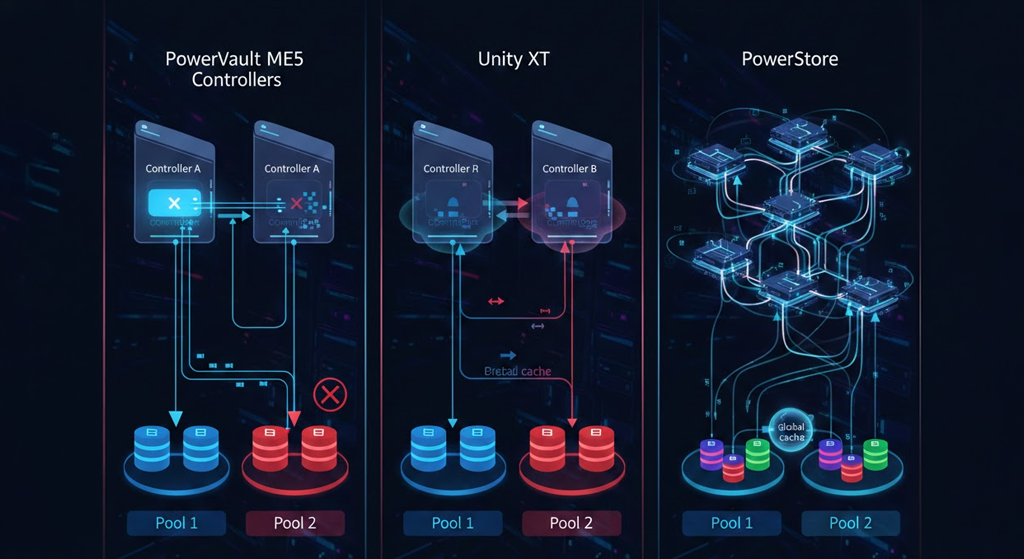
Dell PowerStore: 7 Game-Changing Facts for Your Infrastructure
Modern IT departments, finding themselves in the operational trap of sudden data growth, can easily solve this problem.

Hardware Direct Becomes a Dell Technologies Gold Partner
Hardware Direct is a Dell Technologies Gold Partner offering Dell PowerEdge servers, storage, and IT infrastructure solutions for businesses.

Overcoming Enterprise Hardware Supply Bottlenecks
Discover why enterprise hardware lead times are stalling and how Hardware Direct helps expedite server configurations to meet your project deadlines.
NVIDIA RTX PRO 6000 Blackwell in Dell PowerEdge R750 – Why Specifications Clash with Practice?
NVIDIA RTX PRO 6000 Blackwell in Dell PowerEdge R750 – Why Specifications Clash with Practice? (Our Tests)
Proxmox VE 9.2 Release: Analysis of Key Changes for High Availability Clusters
The new version of Proxmox Virtual Environment 9.2 is not just another point on the platform's development timeline.
R7425 as an AI server – when does AMD EPYC have an advantage over Xeon?
Dell PowerEdge R7425 is one of those servers that looks "just solid" on paper, but when you see it with AI, that's where its real advantage becomes clear.
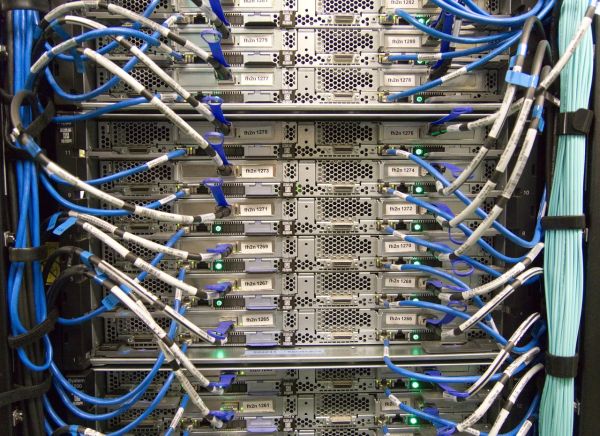
R750xa / R760xa – servers for training LLM models in your company? Absolutely!
A year ago, many companies assumed that local LLM was just a game for the biggest players.

C4140 and DSS8440 – do older GPU platforms still make sense for AI, or are they just stopgap hardware?
C4140 and DSS8440 are no longer the "hottest" GPU platforms on the market – but that doesn't mean they've stopped making sense.
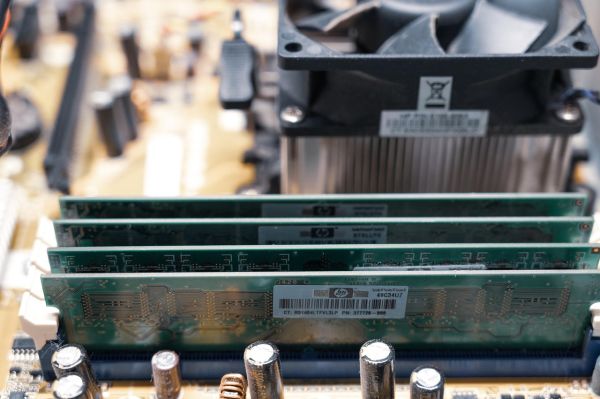
128 GB, 512 GB or 2 TB of RAM – how much memory does an AI server really need?
With AI servers it's very easy to fall into thinking: "the more RAM, the better".
Is it cheaper to buy two budget GPU servers than one high-end one?
When buying an AI server, it's very easy to conclude that the best approach is to go for the "most powerful possible configuration" right away.

How to configure a server for training computer vision and video models?
Image and video AI models can overwhelm a server much faster than classic text-based LLMs.
What GPU server do you need for a VFX studio and 3D rendering?
3D rendering can very quickly show whether infrastructure was built "to spec" or for real studio work.
Hybrid model: inference locally, training in the cloud – how to set it up?
More and more companies today reach a point where the classic "throw everything to the cloud" approach stops making sense.
Rack server or tower – which one should you pick?
Choosing a server is not just a decision about what to buy today – but about how your company will operate for the next several years.
Rack server or blade – which one should you choose?
Rack or Blade – this is not just a question about the chassis, but about how your entire IT infrastructure operates.
Dell PowerEdge or HP ProLiant – a classic question for IT administrators and specialists. Where should you put your money?
The two most popular server systems on the market. Both proven. Both stable. Both have their supporters.
Rack servers – what are they and what you need to know before buying?
Rack servers are not just metal boxes for a cabinet – they're the backbone of many modern companies.

Tower servers – what are they and why are they still more cost-effective for many companies than rack servers?
Tower server is not a relic of the past – it's still a real, sensible option for companies that don't need an entire rack cabinet but want organized IT infrastructure.

Enterprise backup server – how much storage do you need, which RAID level, and what drives actually make sense?
A backup server is not a "cheaper version" of a production server.
Server setup for a small company with 5–20 users – what should you choose and why? Find out!
The first server in a small company doesn't need to be complicated – it just needs to work stably, quietly and safely for a few years.

Server configurator for enterprise virtualization – how to match performance to your VMs?
Virtualization entices with simplicity – "throw VMs on the host and it works".
Database server – how to choose a high-performance configuration?
A database doesn't forgive configuration mistakes – if hardware is poorly selected, the application starts to "choke", users wait for responses, and the IT department explains delays.
What server do you need for ERP and how do you configure it right?
ERP system can run smoothly for years – provided it stands on a well-selected server, not a random configuration "because it suffices".
Custom-built server – what does it actually mean and is it worth it compared to off-the-shelf?
If you're facing server selection and see "CTO ready to ship", the natural question is: is this actually better than ready-made configuration, or just a marketing name.
AI servers – is it better to buy GPU hardware on-premise or pay for cloud?
If you've been doing AI longer than a moment, sooner or later you hit that point: GPU bills start looking seriously concerning.

Local server or cloud – what actually makes more sense financially for your business?
If you're facing choice: set up your own server or go cloud, it's not a "technical" decision at all – only business one.
Which is better for AI work – a GPU server or a workstation? We'll help you decide.
If you reach moment when you wonder "should I keep pushing on workstation or move to server" – that means you're exactly at point where real AI infrastructure begins.
What is a recertified server and how is it different from a used one?
If you're facing server selection and see "recertified", "refurbished" or just "used" in offers – it's easy to get lost.
How to choose a GPU server for AI – without overpaying or ending up underpowered
If you're facing server selection for AI, problem usually isn't "which model to choose" but how much power you really need.

Best on-premise servers for AI work – 2026 ranking. Which ones are right for inference and which for training?
If you're thinking about AI on-premise, server choice doesn't start with Dell or HPE model, but with what you really want to do on it.

Planning AI projects in 2026 with GPU shortages – what's the strategy when servers are out of stock?
If you're planning AI project and counting on quick GPU server purchase – in 2026 you might be in for surprise.
Why are new AI servers getting more expensive every quarter and how do you avoid overpaying?
AI server prices are rising faster than most companies can realistically grasp – and this applies even to identical configurations.
Data center GPU lead times hit a year – what are your options when you can't wait 12 months?
No GPU access for next 12 months? That's not technical problem – only decision how you want to run project.
Leasing, renting or buying a server – which financing option makes sense for your infrastructure?
Most errors when buying server don't come from model choice, but how that equipment is financed.
Rising DDR5 and SSD prices in servers – what does this mean for your IT budget in 2026?
Memory cost in servers in 2026 stopped being detail – it's one of main budget components.
How to choose the right number of GPUs for your Dell PowerEdge AI server?
With GPU number in server it's easy to go wrong right at start.
Dell Precision or Lenovo ThinkStation – which workstation is the better choice?
Choice between Dell Precision and Lenovo ThinkStation rarely comes down to "what's better".

AI in finance – what server do you need for fraud detection and risk models?
Choice between Dell Precision and Lenovo ThinkStation rarely comes down to "what's better".
RAID in AI servers – when is SSD enough and when do you need NVMe?
If wondering whether to put SSD or NVMe in AI server – answer is: depends on what you really do on disk.
How to calculate TCO for an AI server – new vs recertified?
If facing AI server choice, purchase price alone tells little.
How to choose a server processor – without overpaying?
With server processors, it's easy to get things wrong right from the start.
Ranking of server processors 2026 – TOP 10 server processors
A server processor should be chosen for the application, not for the benchmark score alone - which is why this ranking is built around real business scenarios (virtualization, ERP, SQL, AI) rather than core count alone.
What is a server processor - how it works and how it differs from a home processor?
A server processor is a chip built on the same microarchitecture as its consumer counterpart, but equipped with enterprise-class features.
Intel Xeon or AMD EPYC – which server processor should you choose for your infrastructure?
Choosing a server processor is a bit like this: it's easy to head in the wrong direction right from the start.
Processor TDP – what is it and should you care when choosing a server?
If you're choosing a processor for a server and you've gotten stuck on the term TDP, there's really only one question: does that number in watts – 50 W, 85 W, 130 W, sometimes 280 W – tell you how much power the hardware will draw?
Disk array or multiple drives in a server? When and why is it worth it?
A question we hear from companies on a regular basis is: "Why do I need a separate storage array if I can just add more drives to the server?"
How to choose a disk array – what to look for?
Imagine two companies. The first bought an array "with plenty of headroom," right up against a premium budget – and three years later, half the shelves sit empty.
SSD vs HDD – which should you choose for a disk array in your server?
When a customer asks us about drives for an array, nine times out of ten we hear the same sentence: "SSD, because it's faster".
Critical Januscape Vulnerability (CVE-2026-53359) in KVM
Technical analysis of the Januscape vulnerability reveals a use-after-free flaw in the KVM/x86 shadow MMU mechanism.
RAID levels – which one should you pick for your server and why it's not a one-time decision?
Three letters, and so much confusion. RAID has been with us since the late 1980s, when a group of researchers realized that instead of one expensive drive, it's better to combine several cheaper ones and cleverly spread data across them.
SAN vs NAS vs DAS – what's the difference and which storage architecture should your company choose?
Three acronyms that keep coming up in every conversation about storage – and three completely different philosophies for connecting drives to business systems.
What is a company server – how does it work and how is it different from web hosting?
A business server is a dedicated computer whose sole job is to serve other devices in your company – sharing files, hosting a database, running ERP, handling email, performing backups.
Is a recertified GPU server safe for critical data?
A recertified GPU server can cost tens of percent less than a new enterprise configuration.
What types of company servers are there – which one should you choose for your business?
"What type of server should I choose?" is actually three different questions asked at once – and most confusion comes from mixing them up.

Which server to choose for video surveillance (CCTV/NVR) – how to match equipment to the number of cameras?
A surveillance server is sized around three numbers: camera count, stream bitrate, and recording retention period.
Disk array controller – what is it and how does it work?
A disk array controller is a chip that manages a group of drives as a single, coherent, fault-tolerant unit – it distributes data across drives, calculates parity, rebuilds the array after a drive failure, and speeds up writes using its own cache memory.
NVMe-oF – what is it and what is it used for?
You've got fast NVMe drives in your servers, but each one is tied to a single machine – and when one is running out of space while another has plenty to spare, you can't move it across.
Dell Compellent SC or PowerStore – which array should you choose?
Compellent SC is a proven, hybrid block array for classic storage workloads on a reasonable budget, while PowerStore is an enterprise-class native NVMe platform for virtualization, databases, and low-latency-sensitive environments.
New or recertified disk array – which should you choose for your company?
"Recertified" sounds like "used," and "used" sounds like "risk." Except that association doesn't match the numbers – even brand-new enterprise drives fail more often than their spec sheets promise, and recertification is a formalized process, not "dusting off old hardware."

Workstation or mobile laptop – which should you choose for your project team?
A desktop workstation wins everywhere raw power matters – 3D CAD, simulations, rendering, AI – while a mobile laptop makes sense when a designer needs to work in the field, at a client site, or across multiple locations.
How to choose a workstation for your company – a step-by-step guide
Choosing a workstation doesn't start with "which processor," but with "what exactly is it for" – it's the workload type, not the budget, that determines a sensible specification.
How many servers does a company need – one powerful machine or several smaller ones?
The number of servers depends on three things: the acceptable amount of downtime, the nature of the workload and legal requirements.
Your first company server – what to avoid during the first deployment?
Three mistakes cost the most: no tested backup, remote access exposed to the internet without MFA, and licensing left out of the budget.

Lenovo ThinkSystem or Dell PowerEdge – which to choose as your company server? A comparison for the IT department
Bad news for anyone looking for a simple answer: under the bonnet these servers are almost twins – the same Intel Xeon or AMD EPYC, the same DDR5 memory, the same NVMe drives.
A NAS or a company server – how do they differ and when should you choose which?
Salespeople like to call a NAS a “file server”, so it is easy to think it is simply a cheaper server.
How much RAM in a company server – how not to overpay and not to run short of memory
Only two years ago the answer was: buy some spare, memory is cheap. In 2026 that advice costs a fortune – a 64 GB DDR5 RDIMM module went up from around 255 to over 870 dollars in six months, and forecasts point to 1,586 dollars by the end of the year.
Dell Compellent SC or Dell PowerStore – which storage array platform should you choose? What are the differences?
This comparison has one dominant context today, which has to be stated straight away: Dell support for the SC5020 and SC5020F models ends on 31 August 2026. If you have one of these arrays, the question is no longer “is it worth migrating” but “to what and when”.