/ USD
/ USD
A server processor is a chip built on the same microarchitecture as its consumer counterpart, but equipped with enterprise-class features: ECC memory with error correction, far more cores, PCIe lanes and memory channels, a massive cache, and RAS functions that allow it to run continuously for years. In short: a consumer CPU is meant to be fast at individual tasks, while a server CPU is meant to be reliable and efficient under constant, parallel load. This is a different goal, not just different numbers on a spec sheet.
How a server processor works: reliability matters, not just power
A home computer restarts from time to time, and an occasional error results in nothing worse than a frozen application. A server operates 24 hours a day for years on end, and an error can translate into corrupted data or downtime for the entire company. That's why server processors are designed around three pillars known by the acronym RAS.
- Reliability is the ability to detect and avoid errors before they affect system operation.
- Availability is measured in minutes of downtime per year, which should be kept to a minimum.
- Serviceability is the ability to diagnose and repair without shutting down the entire system.
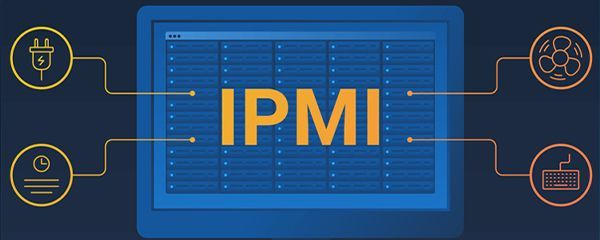
Importantly, RAS is a characteristic of the entire platform, not the processor alone. It also covers redundant power supplies, cooling, and remote management (iDRAC in Dell servers, iLO in HPE). Only all of this combined makes a server a server. A powerful processor alone, without the rest of the platform, is still just a powerful computer.
Server processor vs. consumer processor: what's the difference?
This is easiest to see in concrete terms. The same names (cores, RAM, cache) mean something entirely different in each world, because they lead to different extremes.
|
Feature |
Server processor |
Consumer processor |
|
ECC memory |
Yes, with error correction |
Usually absent |
|
Memory channels |
8 to 12 per socket |
Usually 2 |
|
Max RAM |
Terabytes (up to approx. 6 TB/socket) |
Tens of GB up to approx. 100 GB |
|
PCIe lanes |
Up to 128 (EPYC) / up to 80 (Xeon) |
Many times fewer |
|
Number of CPUs |
1 or 2 sockets (sometimes 4) |
One |
|
RAS features |
Full, 24/7 operation |
None |
|
TDP |
Hundreds of watts (e.g., 350 W) |
Around 125 W |
The difference in PCIe lane count is fundamental: AMD EPYC 9004 typically provides 128 PCIe Gen5 lanes, while 5th generation Xeon Scalable offers up to 80 lanes. These lanes determine how many NVMe drives, GPUs, and network interfaces you can connect without compromise. A consumer CPU simply has a handful of these lanes.
The second dimension is memory scale. A server platform supports 8 to 12 memory channels per socket and terabytes of RAM (reviews indicate up to around 6 TB per socket), while a desktop typically has two channels and realistically tens of gigabytes. And power draw shows the difference in purpose directly: a consumer i9-14900K has a base TDP of 125 W, while server models reach hundreds of watts (Xeon 8592+ is 350 W, EPYC 9754 is around 360 W).
Why a regular processor isn't enough: hard data on memory errors
The most common question is: if a consumer processor is cheaper and fast, why not use it for a server? The answer largely comes down to one word: ECC, or error-correcting memory. Consumer chips usually don't support it. And memory errors aren't rare – they're an everyday occurrence under continuous operation.
A large-scale study of Google's server fleet found that, on average, a single DIMM module experiences nearly 4,000 correctable errors per year, and around 20% of modules were affected by such errors within a year. (Schroeder et al., DRAM Errors in the Wild, SIGMETRICS 2009)
That's not all. The same study found that errors are strongly correlated: a module that has already experienced one correctable error is 13 to 228 times more likely to experience another within the same month, and in 70 to 80% of cases, an uncorrectable error (the dangerous kind that corrupts data) is preceded by a correctable one. ECC doesn't just catch individual errors – it also provides an early warning sign before things get serious.
Historical IBM documentation illustrates the scale well: with standard ECC, a memory failure occurred on average once per 132 servers, while advanced memory protection techniques reduced this to roughly one failure per 26,042 servers annually. These figures change with technology, but the conclusion remains constant: in a production environment, error correction isn't a luxury – it's a condition for trusting your data.
Types and features of server processors: cores, cache, architecture
Modern server processors are developing in two directions worth distinguishing, as they lead to different use cases.
- High core count, for density. The 5th generation AMD EPYC (Turin, Zen 5) reaches up to 192 cores and 384 threads on a single socket. On the Intel side, this is matched by E-core designs in Xeon 6 (Sierra Forest, up to 144 cores), optimized for performance per watt.
- Stronger single-core performance, for complex tasks. P-core designs in Xeon 6 are engineered for heavy databases and HPC, where single-thread performance matters more than raw core count.
An important observation: server features aren't reserved for the most expensive machines. Even an entry-level tower server (like the Lenovo ThinkSystem ST50 V3) uses processors with enterprise-class management and diagnostic capabilities. Server-grade features therefore start at the entry-level segment, which matters when choosing a tower server for a small business.
The Zen 5 architecture delivered 20% higher integer performance and 34% higher floating-point performance compared to the previous generation in 64-core processors. (AMD white paper, 5th Gen EPYC, 2024)
Intel or AMD: the two main manufacturers and their strengths
The server processor market is large and growing rapidly (from $74.5 billion in 2023 to a projected $114.6 billion by 2032). It is effectively split between two players, each with a different specialty.
AMD EPYC, since its 2018 debut, has grown to hold over 40% market share. Its strength lies in core count, memory bandwidth, and power efficiency, making it a natural choice for virtualization and analytics.
Intel Xeon leads in single-thread performance and ecosystem maturity (Redis, MongoDB, transactional databases). It's the choice where fast single-core performance and low latency matter most. Check out Intel processors and the newer Xeon Scalable lineup.
The shortest summary: virtualization and many virtual machines point toward AMD, while databases and clock-sensitive applications point toward Intel. Everything else is decided by the specific model and budget.
Trends: AI, energy, and consolidation
Server processors are changing today under the pressure of artificial intelligence and electricity bills. Data centers consumed approximately 415 TWh of energy in 2024 (about 1.5% of global demand), and forecasts point to more than doubling that figure to around 945 TWh by 2030, driven largely by AI. It's worth keeping some perspective here: independent reviews show that AI energy consumption forecasts vary by as much as fortyfold between sources, so these figures should be treated as estimates, not certainties.
This is where the second major trend comes from: consolidation. According to AMD's own tests, a single server with a 192-core EPYC 9965 can replace the work of more than eight 2019-era Xeon servers, and one hundred older dual-socket machines can be replaced by roughly fourteen new ones, cutting power draw by nearly 70%. These are manufacturer claims based on internal testing, but the direction is clear: fewer, denser servers.
A third theme is hardware security: modern processors can encrypt each virtual machine with its own separate key (5th generation EPYC manages 509 unique keys through a dedicated security processor), alongside chiplet designs, DDR5, next-generation PCIe, and the CXL standard, which allows some AI workloads to run directly on the CPU without a separate GPU.
Which server processor to choose: recommendations by budget and use case
Choosing a processor isn't about chasing the highest-end model – it's about matching it to the problem at hand. Below are three tiers from Hardware Direct's range that illustrate this logic well.
Budget tier: starting out, lab, light services
- The Xeon E5-2620 v3 (6C/12T, 2.4 GHz) is available immediately for a few dozen PLN, a classic choice for Dell 13th gen (R630/R730). Suited for file servers, domain controllers, labs, and light backup.
- The Xeon E5-2643 (4C/8T, 3.3 GHz) has few cores but a high clock speed. Suited for an older single-threaded application on a minimal budget. A good illustration that core count and clock speed are two distinct performance dimensions.
Mid tier: virtualization and databases for SMBs
- The AMD EPYC 7302P (16C/32T, 3.0 GHz, 128 MB cache) combines a high clock speed with a large cache, excellent for databases. Suited for SQL Server, ERP (Comarch, Enova365), transactional servers.
- The AMD EPYC 7352 (24C/48T, 155 W) offers many cores with low power draw. Suited for energy-efficient VMware/Proxmox/Hyper-V virtualization.
- The Intel Xeon Silver 4310 (12C/24T, Ice Lake) is an entry point into the newer Dell 15th gen platform (DDR4-2666, PCIe 4.0). Suited for a general-purpose server for small and medium-sized businesses.
High tier: large environments, AI, dense consolidation
- The Intel Xeon Gold 6346 (16C/32T, 3.1 GHz) offers the highest clock speed in the modern lineup. Suited for high-performance SQL databases, SAP, and ERP with per-core licensing.
- The AMD EPYC 7502P (32C/64T, 128 MB cache) is the sweet spot for virtualization. Suited for a general-purpose server for 20 to 100 users, HA clusters.
- The AMD EPYC 7702P (64C/128T, 256 MB cache, single socket) delivers maximum core density without the cost of a second CPU. Suited for large-scale virtualization, VDI, consolidation, and CPU-based AI inference workloads.
You'll find the full selection in the server processors category, and ready-made configurations for specific tasks in VMware servers and Microsoft SQL Server servers.
FAQ
What exactly is the difference between a server processor and a consumer one?
The most important difference is ECC memory with error correction, which consumer CPUs usually don't support. On top of that, server processors offer more cores, memory channels, and PCIe lanes, support for terabytes of RAM, RAS features, and are designed for continuous 24/7 operation.
Can I build a server using a regular processor?
Technically yes, but you take on risk. Without ECC, a single memory error can corrupt data, and a consumer CPU isn't designed for round-the-clock load. With company data, this kind of saving can quickly backfire.
What does the acronym RAS mean?
Reliability, Availability, Serviceability. It's a set of mechanisms that allow a server to detect errors, minimize downtime, and be repaired without shutting down the entire system.
Why is ECC so important?
Because memory errors are common and correlated. Studies of Google's server fleet found nearly 4,000 correctable errors per module per year, and a module that has already experienced one error is far more likely to experience another. ECC catches these errors and provides a warning before things get serious.
How many cores does a server processor have?
It varies widely, from a few up to as many as 192 on a single socket in the latest AMD EPYC chips. Core count should be driven by the use case: many cores for virtualization, fewer but faster ones for databases.
Intel or AMD for a server?
AMD EPYC usually wins on core count and memory bandwidth, making it well suited for virtualization and analytics. Intel Xeon leads in single-thread performance, making it better suited for transactional databases and clock-sensitive applications.
Does a server processor use a lot of power?
More than a consumer one, since server models have TDPs in the hundreds of watts compared to around 125 W for desktop chips. In exchange, a single dense server can replace several older ones, which lowers total power draw through consolidation.