/ USD
/ USD
If you're facing server selection and see "CTO ready to ship", the natural question is: is this actually better than ready-made configuration, or just a marketing name. In practice it's about something very specific – you get hardware tailored to your application, but without waiting weeks. Let's break this down into real scenarios: when CTO makes sense, what configuration looks like and where people most often overpay.
CTO is not "custom from scratch" – it's assembly from real parts already in warehouse
CTO works a bit like well-organized configurator – you choose base, select CPU, RAM, hard drives and everything is assembled from components that physically sit in warehouse. This is key difference because you don't wait for manufacturing, just assembly and testing – usually 1-7 days and equipment ships.
This means instead of buying "off-the-shelf" with random configuration (e.g. too much CPU, too little RAM or vice versa), you tailor server to specific use-case. If you're doing SQL + ERP, you take more RAM and sensible RAID. If VMs – you aim for cores and memory. You don't overpay for things you won't use.
Where CTO makes most sense (and where it really makes a difference)?
CTO makes sense everywhere configuration matters – basically in every company doing more than file server.
For example:
- with ERP (e.g. Optima, Enova) RAM and fast disks matter – not necessarily top CPU,
- with virtualization (VMware, Proxmox) cores and scalability are key,
- with backup – capacity and RAID matter more than computing power.
And here CTO does the job, because you can select e.g. 128 GB RAM instead of 32 GB and RAID 10 instead of RAID 1, instead of taking ready package that "somehow works".
What does CTO configuration look like in practice?
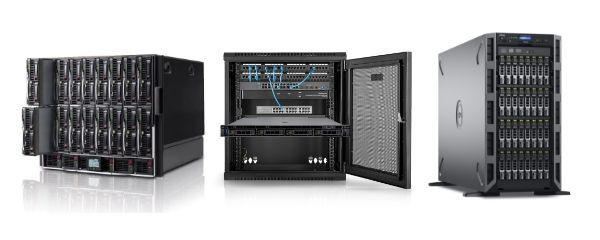
Process is straightforward, but good to know what actually happens along the way. First you choose platform – e.g. Rack (DL380, R740, R760) or Tower (T150, T350). Then you select CPU (e.g. Xeon Silver vs Gold – more cores vs higher per-core performance), RAM (64 vs 128 GB makes huge difference for VMs/SQL) and storage.
And here many people make mistake – they take RAID 1 "because it's safe". But with larger load RAID 10 gives much better performance, especially with databases.
At the end you get equipment that's already:
- assembled,
- tested (burn-in, compatibility),
- with iDRAC / iLO ready for management.
You don't start from "bare box", but from working environment.
CTO vs BTO – why don't you wait a month for server?
In theory you can order custom-built server (BTO), but that means 4-12 weeks waiting and dependence on component availability. CTO works differently – it's based on what's available right now, so delivery time is days, not months.
Especially with current equipment availability issues, CTO simply wins on availability. Not because it's "technologically better", but because it's really available.
And this is often crucial – because if you need server "yesterday" for new project, migration or failure, you're not interested in perfect configuration in 2 months. Just something that works now.
How much does it cost and where do people most often burn budget with CTO?
CTO very often comes out cheaper than ready-made configurations, but only if you know what you're selecting. Most common mistake is CPU over-sizing – many people take Xeon Gold or 2 CPU, while their system (e.g. ERP + few VMs) runs fine on one Xeon Silver + more RAM. Result? Few thousand zloty spent with no real gain.
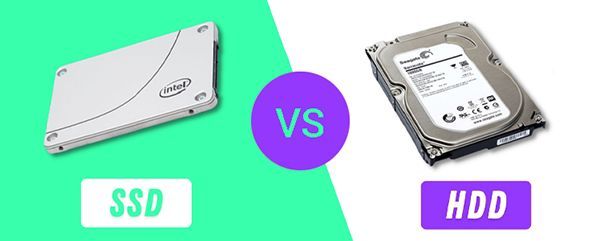
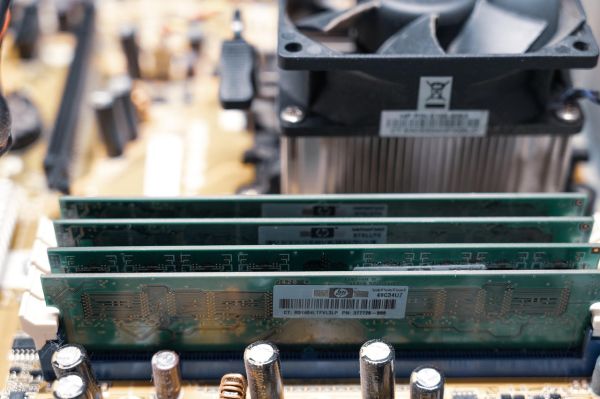
Second area is memory and disks. Companies often start with 32-64 GB RAM, and after few months it turns out VMs start to "choke". More sensible to go with 128 GB right away, because it gives growth headroom and stability. Same with disks – if server is to handle SQL or many operations simultaneously, RAID 10 on SSD/NVMe makes huge difference compared to simple RAID 1.
CTO gives you advantage of paying exactly for what makes sense. Without packages "because that's standard".
Is CTO suitable for small company or is it more "enterprise" solution?
CTO works very well in small and medium companies – often better than ready-made configurations. This is because SMBs have very specific needs: accounting, files, backup, few virtual machines. Here fit matters, not "flagship model".
For small office sensible setup is e.g. Tower type T150 or T350, 64-128 GB RAM, RAID 1 or RAID 10. Such server comfortably handles a dozen users, accounting system and backup. No need to go with Rack if you don't have cabinet infrastructure.
Meanwhile with larger environments – e.g. dozens of VMs, SQL, ERP – CTO lets you build something based on DL380, R740 or R760 with 2 CPU and 128-256 GB RAM, without overpaying for components you won't use right away.
What you get "out of the box" – why it's not raw hardware
CTO server doesn't arrive as set of parts to assemble. You get ready machine that has been:
- assembled from compatible components
- tested under load
- prepared for operation
This means you already have configured RAID, firmware, iDRAC or iLO, and often basic system configuration too. Add to that things that are theoretically "details" but in practice make difference: redundant power supplies, proper cooling, current BIOSes.
You don't waste time debugging hardware, just start deploying services.
Does CTO have limitations (and when is it better not to choose it)?
CTO isn't solution for every scenario. If you need very specific configuration outside standard catalog – e.g. non-standard cards, exotic GPUs or very large hardware volumes – then BTO or enterprise projects might make more sense.
Similarly with large deployments where you order dozens of identical servers – factory production often comes out cheaper per unit.
However for 90% of cases – single servers, small clusters, test environments, AI, VMs – CTO hits the mark because it combines availability with reasonable flexibility.
FAQ
Does CTO server differ from regular Dell or HPE server?
No, it's the same hardware – difference is you configure it for yourself instead of taking ready set.
How long does CTO server realization take?
Usually 1-7 days, because everything is assembled from available warehouse components.
Does CTO mean higher price?
No – often it's cheaper because you don't pay for unnecessary elements and "standard packages".
Can I expand CTO server later?
Yes. These are standard platforms (Dell, HPE), so you can add RAM, disks or even second CPU.
RAID 1 or RAID 10 in CTO – what to choose?
RAID 1 for simple applications and backup. RAID 10 with databases, VMs and larger loads.
Does CTO make sense for AI or GPU?
Yes – you can select exactly how many GPUs you need (e.g. 2-3 cards instead of one powerful or vice versa), without ready configuration limitations.
Do I get support and warranty like with new hardware?
Yes – standard 12-36 month warranty plus technical support and pre-shipment testing.