/ USD
/ USD
If you're choosing a processor for a server and you've gotten stuck on the term TDP, there's really only one question: does that number in watts – 50 W, 85 W, 130 W, sometimes 280 W – tell you how much power the hardware will draw? No. And that misunderstanding can cost you quite a bit – either you overpay for power you'll never use, or you pick cooling that's too weak and the server chokes.
TDP is the amount of heat the processor's cooling system needs to dissipate – a thermal budget, not a power meter reading. From our experience, for most companies – ERP, a handful to a dozen or so virtual machines, backup, file server – a sensible range is 50–130 W. You only need to go higher with dense virtualization, large SQL databases, and AI. Below, we explain why that is and what it means for a specific purchase.
What does TDP actually mean – and what doesn't it mean?
TDP (Thermal Design Power) is the maximum amount of heat the cooling system needs to dissipate from the processor. That's it. It is not maximum power draw – a processor can briefly, even for microseconds, pull more than its TDP. This number tells the system designer: "this is how much heat you need to remove with the heatsink and fans so the chip doesn't overheat."
In practice, it works like this: want to know a server's real power draw? You'll most reliably measure it with a meter connected to the power cable, under load – not by reading a single value from the spec sheet. Intel itself emphasizes this. TDP is a design guideline, not a meter reading.
There's also a catch few people mention: manufacturers sometimes deliberately overstate TDP. AMD does this for part of its EPYC lineup – assigning a higher value so that power delivery and cooling have extra margin and keep the chip within safe limits. So a higher TDP doesn't always mean a "worse, more power-hungry" processor – sometimes it's simply a larger safety margin.
How much is "a lot"? TDP ranges in servers
The range is quite wide – and it grows with each generation. In the past, 5600-series Xeons for dual-socket servers fell within 40–130 W, and Opterons within 35–140 W. Today's top-tier AMD EPYC "Turin" has a configurable TDP of up to 500 W at 192 cores. For context: a single NVIDIA H100 GPU for AI draws 700 W – a different league, different cooling requirements.
What matters most, though, is where a "normal" business server falls. Below are example processors from our range at different TDP levels:
|
Processor |
Cores / clock |
TDP |
Typical use |
|
Xeon L5410 ("L" series) |
4C / 2.33 GHz |
50 W |
older, power-efficient – light-duty services |
|
Xeon Silver 4114 |
10C / 2.2 GHz |
85 W |
ERP, files, backup, light virtualization |
|
Xeon E5-2620 v3 |
6C / 2.4 GHz |
85 W |
general-purpose host, small business |
|
Xeon E5-2660 |
8C / 2.2 GHz |
95 W |
virtualization, more VMs |
|
Xeon E5-2643 |
4C / 3.3 GHz |
130 W |
high clock speed – latency-sensitive databases |
Look at the last row. The E5-2643 has fewer cores than the Silver 4114, yet a higher TDP – because it makes up for it with clock speed (3.3 GHz). This illustrates well that low TDP ≠ a weak processor, and high TDP ≠ a better one. You'll find the full lineup in the server processors category, and specific families here: Intel Xeon, Xeon Scalable, and AMD EPYC.
Why TDP shapes the entire server
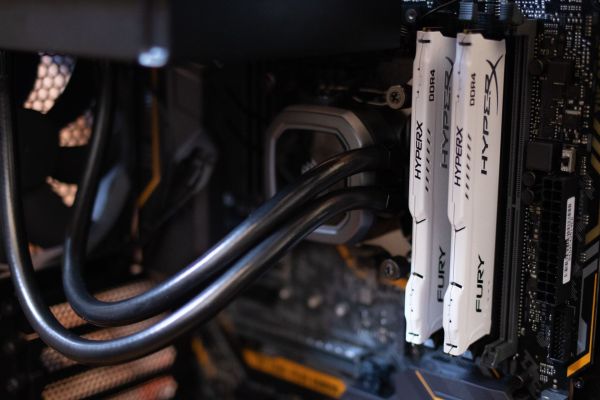
Because you're not just choosing a processor – you're choosing the environment around it. The higher the TDP, the more serious the cooling needs to be, the more powerful and often redundant the power supplies, and the better the airflow required. This isn't theoretical: in server motherboard documentation, TDP directly determines the rules for processor population and heatsink selection. That's why the heatsink for a given model isn't arbitrary – server heatsinks are selected based on a given CPU's TDP.
At a certain point, air cooling stops being enough. The newest generation of CPUs can have TDPs up to 350 W, and GPUs 300–600 W – that's when liquid cooling comes into play. Scale plays its part too: average power density per rack cabinet has risen from 2.4 kW in 2011 to around 12 kW in 2024. This is largely "thanks to" high-TDP chips.
For a company deploying one or two servers, the conclusion is simple: a top-tier processor bought "just in case" is the most common place where budget gets burned. For Optima, Comarch ERP, or a dozen or so VMs, an 85–95 W chip is more than enough – cheaper to buy, quieter, and cheaper to run. If you're not sure where to start, our guide on which server to choose can help.
TDP can be adjusted – and sometimes it's worth doing (cTDP)
Worth knowing: in many server processors, TDP is configurable. The cTDP (configurable TDP) parameter, set in the BIOS, lets you lower TDP for quieter, more efficient operation or raise it for higher performance. In practice: the EPYC 7702 can be lowered to 180 W, while the EPYC 7742 can be raised to 240 W.
There is a condition, though. When cTDP is raised, the cooling system needs to dissipate correspondingly more heat – otherwise thermal throttling kicks in: the processor lowers its own clock speed to avoid overheating, and the entire investment in a higher clock goes to waste. This is one of those details where it's easy to either overpay or choke hardware that was supposed to breathe.
How to choose the right TDP for a real-world application?
The simplest approach is to start with "what needs to run on it", not "how many watts." Below is a quick guide that most often works well for our customers:
|
Application |
Sensible TDP |
Comment |
|
Backup, file server, light-duty services |
50–85 W |
No point overpaying – reliability matters here, not power. |
|
ERP, Optima, Comarch, small SQL database |
85–95 W |
The sweet spot for most companies. The core/TDP/price ratio matters here. |
|
Virtualization, a dozen or more VMs |
95–155 W |
More cores = higher TDP. Make sure the chassis can dissipate the heat. |
|
Large databases, analytics, AI/rendering |
200 W+ |
At this point TDP stops being a theoretical concern – plan cooling and power supply with margin. |
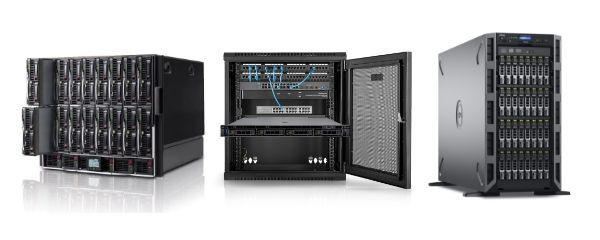
And one more thing from practical experience: most companies don't need the newest, top-tier processor. A proven, recertified unit from the previous generation delivers most of the performance at a fraction of the price – and it's sitting in stock instead of waiting in a queue. You can match models to specific servers: Rack servers or Tower servers.
Ready to work – not just the processor itself
With us, TDP isn't your problem to solve – it's ours. Your hardware arrives with cooling matched to the specific processor, configured RAID, iDRAC / iLO set up for remote management, and redundant power supplies where they make sense. Every unit is tested before shipping and covered by a 12–36 month warranty.
Not sure what TDP level makes sense for your case? Tell us what needs to run on the server – we'll select the processor and the entire configuration so the server doesn't choke where it's supposed to breathe, and doesn't draw power it doesn't need to.
FAQ
Is TDP the same as a server's power draw?
No. TDP is the amount of heat the cooling system needs to dissipate. Actual power draw can briefly be higher, and the most accurate way to measure it is with a meter on the power cable under load.
Does a higher TDP mean a better processor?
Not necessarily. It means more heat to dissipate, not automatically more performance for your use case. Sometimes it's simply a safety margin set by the manufacturer.
What TDP is enough for a small business server?
For ERP, backup, or a few virtual machines, usually 50–95 W. Higher values make sense for dense virtualization, large SQL databases, and AI.
Can TDP be changed?
Yes. The cTDP parameter in the BIOS lets you lower it (quieter, more efficient) or raise it (more performance) – provided the cooling system can dissipate correspondingly more heat.
What happens if the cooling can't keep up with the TDP?
Thermal throttling occurs – the processor lowers its own clock speed to avoid overheating. The result: reduced performance despite having a powerful CPU.