/ USD
/ USD
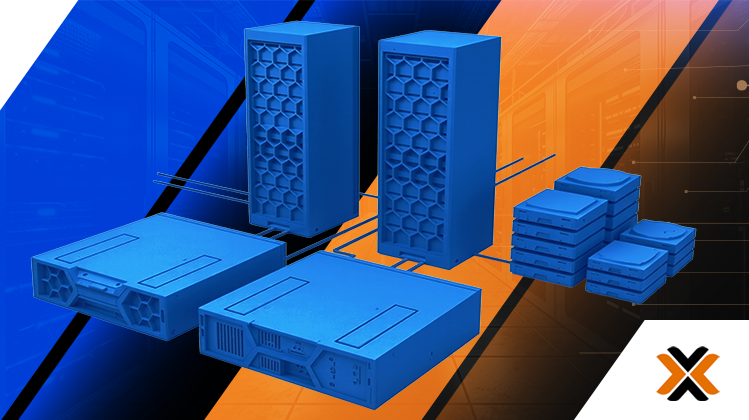
Virtualization in server infrastructure is increasingly no longer an optimization option. Instead, it's becoming a necessity, as it forms the foundation of a modern, flexible, and secure IT environment. What was once a clever way to save money is now a backbone without which it's difficult to imagine a smooth business operation.
Until recently, VMware was the undisputed leader in virtualization solutions. For years, its software was synonymous with professional virtualization, offering powerful tools at an equally hefty price. However, customers found no alternative, and licensing costs pushed project budgets to the point of absurdity.
This intensified in 2023 following Broadcom's acquisition of VMware. The new owner introduced new rules, including drastic license price increases and changes to licensing models. One of Broadcom's most controversial decisions was the complete discontinuation of the free version of VMware ESXi in 2024. Previously, small businesses and test environments could use basic virtualization features without licensing costs; now, any commercial use requires a paid subscription.
Furthermore, Broadcom has discontinued perpetual licenses, replacing them with a subscription model. Customers are now required to pay annual fees for software access, increasing predictable operating costs and placing them firmly in a single virtualization provider.
It's no wonder that in the face of these drastic changes in VMware's pricing policy, the field has opened up for alternative solutions.
Proxmox VE clearly stands out from them – one of the most complete and mature open-source platforms, actually used as an alternative to VMware in production environments.

What is Proxmox VE?
Proxmox VE is a complete open-source virtualization environment built on the solid foundation of Debian Linux. Developed since 2008, this Austrian platform is gaining popularity thanks to its open approach to dedicated enthusiasts and full functionality available royalty-free. What sets it apart? Above all, it uniquely combines two technologies in a single, easy-to-manage interface:
- KVM (Kernel-based Virtual Machine) Virtualization: Allows you to run fully virtualized machines (VMs) with any operating system (Windows, Linux, etc.). This is a virtualization standard built into the Linux kernel, known for its performance and security.
- LXC (Linux Containers) Containerization: Allows multiple, isolated Linux instances to run on a single host kernel. Containers are incredibly lightweight, boot instantly, and have minimal performance overhead, making them ideal for microservices and applications.
We manage everything from a transparent web interface that gives us control over the entire infrastructure – from machine creation, through network and storage configuration, to backups and high availability (High Availability).
Proxmox vs. VMware – Key Aspects Compared
Let's see how Proxmox fares in a direct clash with VMware vSphere, until recently the most popular virtualization product on the market.
| Characteristic | Proxmox VE | VMware vSphere |
| Licensing model | Open-Source (AGPLv3). No license costs. Optional paid technical support subscription. | Commercial license. License costs per CPU/core, increasing with version (Essentials, Standard, Enterprise). |
| Key Features | All key features (clustering, HA, backup, live migration) are available in the free version. | Advanced features such as High Availability or vMotion (live migration) require the purchase of higher and more expensive packages. |
| Management | Integrated, central web interface as standard. | Requires a separate vCenter Server Appliance instance, which is only included in paid packages. |
| Mass storage | Support for local storage (LVM, ZFS) and network storage (iSCSI, Fibre Channel, NFS, Ceph, GlusterFS). | Support for local storage (VMFS) and network storage (iSCSI, Fibre Channel, NFS, vSAN). |
| Technical support | Community support (forum) and flexible, optional commercial support plans from the manufacturer are available. | Professional technical support is required and included in the subscription price (SnS - Support and Subscription). |
| Hardware flexibility | Runs on a wide range of standard x86 hardware. No restrictive Hardware Compatibility List (HCL). | Officially supported only on HCL hardware, which may limit choices and increase component costs. |
The above list clearly demonstrates the advanced features Proxmox offers in a virtually free tool. It's no wonder that more and more users are abandoning VMware in favor of this unique solution. The open-source provider offers import tools specifically for these users, allowing for seamless migration to their environment. These tools include:
- Converting VMDK disks to formats supported by Proxmox,
- Import of virtual machine configurations,
- Migration in phases with minimal downtime, or even (under certain conditions) without any downtime noticeable to users (live migration)
Proxmox guarantees high compatibility with existing infrastructure: it works with various storage types (NFS, iSCSI, local disks), as well as popular backup tools (Veeam, Bacula, Amanda)
All of this means that the transition to Proxmox solutions should be smooth and virtually seamless to your existing server environment. Migrating virtual machines from VMware to Proxmox VE is relatively straightforward from a technical perspective, but designing a stable production environment requires basic Linux knowledge, particularly in the areas of networking, storage, and high availability.

Proxmox: Subscription Types and What We're Actually Paying for
One of the biggest mental barriers to switching to Proxmox is understanding its business model. If the software is free and fully functional, why pay at all? Doesn't that contradict the idea of open source? Absolutely not.
It's crucial to understand that with Proxmox, you don't pay for a license that unlocks features—you pay for a subscription, which serves as a service agreement and guarantees access to stable updates and manufacturer support. It's an investment in your peace of mind and business security.
So what are we paying for when we decide to subscribe?
- Access to the Enterprise Repository: This is the most important benefit. By default, the free version of Proxmox uses the public repository, where updates are released very quickly. This is great for enthusiasts and test environments. However, in a production environment, where stability is paramount, we need packages that have been thoroughly tested. A subscription gives you access to the "Enterprise" repository, which receives updates less frequently but contains only completely stable, verified packages, minimizing the risk of issues after installation.
- Professional technical support: In a crisis, the community forum isn't enough. With a subscription, you gain direct access to Proxmox engineers and developers. They know their product best and can diagnose and resolve even the most complex issues most quickly.
- Certainty and business continuity: A subscription is a form of insurance. It guarantees that in the event of a failure, we won't be left alone, which is absolutely crucial for any company that depends on IT infrastructure.
Proxmox VE Subscription Plans
Proxmox offers several subscription levels to suit different needs and budgets. Pricing is based on an annual basis per physical CPU socket.
Community (~115 EUR/year/CPU) : The most affordable option, ideal for lab environments, testing, or less critical enterprise systems. Its main advantage is providing access to a stable Enterprise repository. Professional technical support is not included.
Basic (~355 EUR/year/CPU): An excellent choice for many small and medium-sized businesses. In addition to access to the Enterprise repository, it allows you to submit a limited number (up to 3 per year) of support requests with a guaranteed response time of one business day.
Standard (~530 EUR/year/CPU) : The most popular choice for companies with infrastructure that is sensitive to downtime. It increases the ticket limit to 10 per year and reduces response time to critical issues to 4 hours on weekdays. It also includes remote support (via SSH).
Premium (~1060 EUR/year/CPU): Designed for large enterprises and institutions where every minute of downtime generates significant losses. It offers unlimited tickets, the fastest response time (up to 2 hours for critical tickets), and access to telephone support.
When and which subscription should you choose? Examples of use cases
The decision to choose a specific subscription depends on the criticality of the systems running on the Proxmox platform.
Example 1: District Hospital
Scenario: The Proxmox cluster hosts patient information systems (HIS), radiology systems (RIS/PACS), and emergency room applications. Downtime in these systems directly threatens the health and lives of patients and paralyzes the facility's operations.
Recommended subscription: Premium.
Benefits: In the event of a server outage at 3 a.m., the hospital doesn't have to wait for a response on the forum. A Premium subscription guarantees near-instantaneous response from the Proxmox team, which can remotely connect to the infrastructure and help restore critical systems. This is a regulatory (GDPR) and ethical requirement. Documentation of professional support is also crucial during security audits.
Example 2: Financial Services Company
Scenario: Servers run systems for processing sensitive customer financial data, transactional databases, and legal document management software. Data loss or prolonged inaccessibility means enormous financial and reputational damage.
Recommended subscription: Standard or Premium.
Benefits: The Standard plan ensures rapid response during business hours, which is sufficient for many companies in this sector. This ensures compliance with internal security policies and auditor requirements. Stable updates from the Enterprise repository protect against security vulnerabilities, which is crucial when processing sensitive data.
Example 3: A growing software house
Scenario: Infrastructure is important, but mainly for internal operations (development and testing environments, code repositories). A short downtime is annoying, but it doesn't paralyze the entire company. System stability and predictability are paramount.
Recommended subscription: Basic or Standard.
Benefits: The Basic plan is a great starting point. It provides access to stable updates (the most important benefit), and a few support tickets per year provide peace of mind should administrators encounter an issue they can't resolve themselves. It's a smart balance between cost and security.
In summary, the free version of Proxmox VE is a fantastic tool, but any organization relying on it for critical business processes should consider purchasing a subscription as an absolutely essential part of implementation. It's not a cost, but an investment in stability, security, and professionalism.
Case Study: Savings in a Small IT Company
To show the real financial benefits, let's analyze a hypothetical scenario.
Company: a small software house employing 16 people.
Needs: The company needs a stable environment to host its internal services (GitLab, file server, test environments) and several customer applications. The plan is to run approximately 12 virtual machines. High availability (HA) is a key requirement , ensuring that a single server failure doesn't disrupt the company's operations. Hardware infrastructure: Three identical servers, each equipped with a single processor with 16 cores and 128 GB of RAM.

Path #1: VMware-based solution
To meet the high availability (HA) requirement, a company must choose at least the VMware vSphere Essentials Plus Kit.
- License cost (one-time): The vSphere Essentials Plus Kit costs around PLN 25,000 - 28,000 net.
- Technical support (annual): Mandatory support subscription (SnS) is typically around 20-25% of the license price per year. Let's assume ~5,500 PLN net/year.
Total Cost of Ownership (TCO) over 3 years (VMware):
Year 1: PLN 27,000 (license) + PLN 5,500 (support) = PLN 32,500
Year 2: PLN 5,500 (support)
Year 3: PLN 5,500 (support)
TOTAL after 3 years: PLN 43,500
Path #2: Proxmox VE-based solution
The company installs Proxmox VE. All necessary features, including clustering and High Availability, are available immediately, free of charge. Due to the criticality of the environment, the company decides to purchase professional technical support from the manufacturer under the "Standard" plan.
- License cost: PLN 0.
- Technical support (annual): The Proxmox VE Standard Subscription plan costs €340 per CPU socket, per year. The company has three servers, each with one processor.
Annual cost: 3 CPU sockets * €340/socket ≈ €1,020.
Converting to PLN (assuming an exchange rate of ~4.30 PLN/EUR): €1,020 * 4.30 PLN/EUR ≈ €4,386 net / year.
Total Cost of Ownership (TCO) over 3 years (Proxmox):
Year 1: PLN 4,386 (subscription)
Year 2: PLN 4,386 (subscription)
Year 3: PLN 4,386 (subscription)
TOTAL after 3 years: PLN 13,158
The conclusion? The savings with the Proxmox solution are ~PLN 30,342
Savings of over PLN 30,000 in just three years are significant! Especially for a small company undergoing rapid growth. These funds can be used to purchase an additional server, faster storage, better backup solutions, or simply scale the business. Most importantly, these savings don't come at the expense of losing key functionality – in both scenarios, the company receives a fully functional high-availability cluster.
Summary: A smart choice for your business
It's no secret that the era when expensive, licensed solutions were the only viable choice for professional virtualization is over. Proxmox VE proves you can have it all: powerful features, stability, security, and flexibility, all in an open-source model that frees up your budget.
At Hardware Direct, we believe in providing not only efficient hardware but also intelligent solutions. By choosing servers from our portfolio and combining them with Proxmox VE, you're building the foundation for an infrastructure that's not only powerful but also economically viable.
Ready to build your new, cost-effective, and efficient server room? Contact our experts! We'll help you choose the perfect hardware and advise you on how to fully utilize the potential of Proxmox VE.