 / USD
/ USD
Server Configurators


- Server Dell PowerEdge T140 4x3.5" with 1x E-2124, 16GB RAM, H730p, 2x 1TB 7.2K SATA 6G 3.5", iDRAC9 EnterpriseThis set contains: 1x Dell PowerEdge T140 4x3.5" server platform 1x Intel Xeon E-2124 4-core 3.3GHz 8MB 71W SR3WQ processor 2x RAM Dell 8GB 2133MHz DDR4 UDIMM ...Calculating delivery time...In stock 14Warranty 36 months$1,687.26 $1,371.76
- Server Dell PowerEdge T140 4x3.5" with 1x E-2124, 32GB RAM, H330, 3x 480GB SSD SATA 2.5", iDRAC9 EnterpriseThis set contains: 1x Dell PowerEdge T140 4x3.5" server platform 1x Intel Xeon E-2124 4-core 3.3GHz 8MB 71W SR3WQ processor 2x RAM 16GB 2666MHz DDR4 UDIMM ECC ...Calculating delivery time...In stock 4Warranty 36 months$1,931.89 $1,570.64
- Server Dell PowerEdge T140 4x3.5" with 1x E-2124, 32GB RAM, H730p, 2x 1TB SAS 12G 3.5", iDRAC9 EnterpriseThis set contains: 1x Dell PowerEdge T140 4x3.5" server platform 1x Intel Xeon E-2124 4-core 3.3GHz 8MB 71W SR3WQ processor 2x RAM Dell 16GB 2133MHz DDR4 UDIMM...Calculating delivery time...In stock 5Warranty 36 months$1,896.99 $1,542.27
- Server Dell PowerEdge T140 4x3.5" with 1x E-2124, 32GB RAM, H330, 2x 480GB SSD SATA 2.5", iDRAC9 EnterpriseThis set contains: 1x Dell PowerEdge T140 4x3.5" server platform 1x Intel Xeon E-2124 4-core 3.3GHz 8MB 71W SR3WQ processor 2x RAM 16GB 2666MHz DDR4 UDIMM ECC ...Calculating delivery time...In stock 1Warranty 36 months$1,773.97 $1,442.25
- Server Dell PowerEdge T140 4x3.5" with 1x E-2244G, 32GB RAM, H330, 2x 480GB SSD SATA 2.5", iDRAC9 EnterpriseThis set contains: 1x Dell PowerEdge T140 4x3.5" server platform 1x Intel Xeon E-2244G 4-core 3.8GHz 8MB 71W SRFAY processor 2x RAM 16GB 2666MHz DDR4 UDIMM ECC...Calculating delivery time...In stock 2Warranty 36 months$2,105.60 $1,711.87
- Server Dell PowerEdge T140 4x3.5" with 1x E-2124, 16GB RAM, H330, 2x 1TB 7.2K SATA 6G 3.5", iDRAC9 EnterpriseThis set contains: 1x Dell PowerEdge T140 4x3.5" server platform 1x Intel Xeon E-2124 4-core 3.3GHz 8MB 71W SR3WQ processor 2x RAM Dell 8GB 2133MHz DDR4 UDIMM ...Calculating delivery time...In stock 3Warranty 36 months$1,555.67 $1,264.77
- Server Dell PowerEdge T140 4x3.5" with 1x E-2124, 32GB RAM, H330, 2x 1TB 7.2K SATA 6G 3.5", iDRAC9 EnterpriseThis set contains: 1x Dell PowerEdge T140 4x3.5" server platform 1x Intel Xeon E-2124 4-core 3.3GHz 8MB 71W SR3WQ processor 2x RAM 16GB 2666MHz DDR4 UDIMM ECC ...Calculating delivery time...In stock 4Warranty 36 months$1,529.35 $1,243.37
- Server Dell PowerEdge T140 4x3.5" with 1x E-2124, 32GB RAM, H330, 2x 1.92TB SSD SATA 6G RI 2.5", 1x PSU, iDRAC 9This set contains: 1x Dell PowerEdge T140 4x3.5" server platform 1x Intel Xeon E-2124 4-core 3.3GHz 8MB 71W SR3WQ processor 2x RAM 16GB 2666MHz DDR4 UDIMM ECC ...Calculating delivery time...In stock 5Warranty 36 months$2,563.57 $2,084.20
- Server Dell PowerEdge T140 4x3.5" with 1x E-2124, 16GB RAM, H330, 2x 480GB SSD SATA 2.5", iDRAC9 EnterpriseThis set contains: 1x Dell PowerEdge T140 4x3.5" server platform 1x Intel Xeon E-2124 4-core 3.3GHz 8MB 71W SR3WQ processor 1x RAM 16GB 2666MHz DDR4 UDIMM ECC ...Calculating delivery time...In stock 1Warranty 36 months$1,642.37 $1,335.26
- Server Dell PowerEdge T140 4x3.5" with 1x E-2124, 16GB RAM, H330, 2x 480GB SSD SATA 6G RI 2.5", 1x PSU, iDRAC 91x Dell PowerEdge T140 4x3.5" server platform 1x Intel Xeon E-2124 4-core 3.3GHz 8MB 71W SR3WQ processor 2x RAM Dell 8GB 2666MHz DDR4 UDIMM ECC 2x SSD 480GB SA...Calculating delivery time...In stock 2Warranty 36 months$1,745.01 $1,418.71
- Server Dell PowerEdge T140 4x3.5" with 1x E-2124, H330, iDRAC9 EnterpriseThis set contains: 1x Dell PowerEdge T140 4x3.5" server platform 1x Intel Xeon E-2124 4-core 3.3GHz 8MB 71W SR3WQ processor 1x Dell H330 Adapter RAID controlle...Calculating delivery time...In stock 3Warranty 36 months$1,194.93 $971.49
FAQ
What is the Dell PowerEdge T140 and what is it designed for?
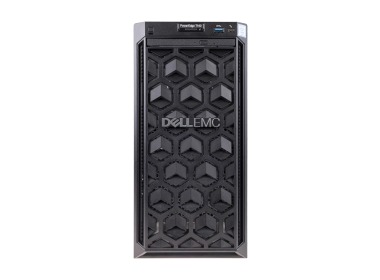
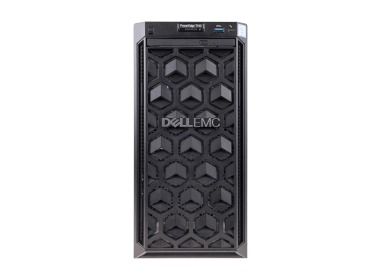
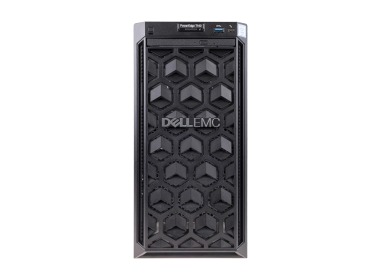
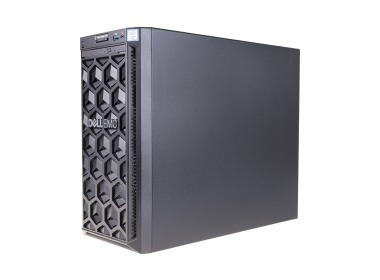
The Dell PowerEdge T140 is a compact tower server built for small and medium-sized businesses. It works well as a file server, business application server, domain controller, or small-scale virtualisation platform. Its small footprint and quiet operation make it suitable for placement directly in an office environment.
What is the difference between a refurbished Dell PowerEdge T140 and a brand-new one?
A new server comes straight from the manufacturer and is covered by a full manufacturer's warranty. A refurbished unit is ex-lease corporate equipment that has been technically inspected and recertified, available at a lower price. It is a practical option for businesses looking to reduce IT costs without compromising on quality.
Which processors are supported by the Dell PowerEdge T140?
The T140 supports Intel Xeon E-2100 and E-2200 series processors, as well as select Intel Core i3 processors from the same generation. The platform accommodates a single processor, which is more than sufficient for typical server workloads in a small office or branch location.
How much RAM can be installed in the T140?
The server has four DIMM slots and supports up to 64 GB of ECC DDR4 memory. ECC (Error-Correcting Code) memory improves system stability and reliability - particularly important when the server runs continuously in a production environment.
Does the Dell PowerEdge T140 support RAID storage?
Yes. The server is compatible with Dell PERC RAID controllers, which allow you to configure various RAID levels - such as RAID 1, RAID 5, or RAID 10. This protects your data against a single drive failure and can also improve read and write performance.
How is remote management handled on the Dell PowerEdge T140?
The T140 includes a built-in iDRAC9 (Integrated Dell Remote Access Controller), which enables remote server monitoring, firmware updates, reboots, and diagnostics - even when the operating system is unresponsive. In practice, this means administrators can manage the server without needing to be physically present.